
Trello for Solopreneurs: Ditch the Team, Boost Your Solo Hustle
📅
Imagine this: You're a freelance graphic designer, juggling client projects, invoicing, and marketing your services. Last week, you missed a critical deadline because a crucial email got buried in your inbox. You spent hours searching for it, delaying the project and frustrating your client. This scenario, unfortunately, is a common reality for many solopreneurs. But what if you could prevent such mishaps and gain control of your chaotic workflow?
 Let's face it, the solopreneur life isn't always glamorous.
Time, or the lack thereof, is a constant battle. Between client work, administrative tasks, and marketing efforts, it's easy to lose track of where your precious hours are going. This can lead to time management woes, making it difficult to prioritize tasks and meet deadlines.
The pressure to succeed, combined with the sheer volume of tasks, can lead to overwhelm and, eventually, burnout. It's a real threat to your well-being and your business. The constant need to be "on" and the lack of separation between work and personal life can take a toll.
Without a team to hold you accountable, self-discipline is paramount. But staying organized and focused when you're solely responsible for everything can be a monumental task. It's easy to get distracted or procrastinate, especially when faced with challenging or unpleasant tasks.
But what if there was a tool that could help you conquer these challenges, streamline your workflow, and reclaim your time? Enter Trello.
While often associated with team collaboration, Trello is a surprisingly powerful tool for solopreneurs looking to boost their productivity and organization.
Don't let the "team" label fool you. Trello's visual and flexible nature makes it perfect for managing personal tasks, projects, and workflows. It can be adapted to fit a wide range of needs, from managing daily to-do lists to planning complex projects.
Trello's Kanban-style boards provide a clear, visual representation of your workflow, allowing you to see exactly what needs to be done, what's in progress, and what's completed. This visual organization can help you stay focused and motivated, and it makes it easy to identify bottlenecks in your workflow.
Trello offers a generous free plan that's perfect for solopreneurs just starting out. Its flexibility allows you to customize it to fit your unique needs and workflow. As your business grows, you can upgrade to a paid plan to access additional features and Power-Ups.
This guide will walk you through how to leverage Trello to its fullest potential as a solopreneur, covering everything from setting up your workspace to automating your workflow. Get ready to transform your solo hustle into a well-oiled machine.
Your Trello workspace is your digital command center. Setting it up effectively is crucial for maximizing its benefits.
Start by creating a board that reflects your primary focus. A board titled "Business Operations" could encompass all aspects of your business, while "Content Calendar" would be dedicated to planning and managing your content creation. Choose a board name that is clear, concise, and easy to remember.
For solopreneurs, keeping your boards private is generally the best practice. This ensures that your tasks and projects remain confidential. You can always share specific cards or boards with clients or collaborators if needed, but keeping your main workspace private is a good way to protect your business information.
Choose a background that you find visually appealing and that helps you stay motivated. You can even use different backgrounds for different boards to easily distinguish them. A visually appealing workspace can make you more likely to use Trello regularly and stay organized.
The classic Kanban approach is a great starting point. Create lists labeled "To Do," "Doing," and "Done" to track the progress of your tasks. This simple system can help you visualize your workflow and stay on top of your tasks.
Don't be afraid to adapt the lists to fit your specific needs. For example, if you're a writer, you might have lists for "Ideas," "Research," "Writing," "Editing," and "Scheduled." If you're a designer, you might have lists for "Concept," "Design," "Review," and "Final."
Arrange your lists in a way that optimizes your workflow. Consider the natural progression of your tasks and place the lists in that order. For example, if your workflow involves research, writing, and editing, you would place those lists in that order.
Power-Ups are integrations that add extra functionality to your Trello boards. Here are a few essential ones for solopreneurs:
The Calendar Power-Up allows you to visualize your deadlines and schedules in a calendar view, making it easier to plan your week and stay on track. This can be especially helpful for solopreneurs who need to manage multiple projects and deadlines.
The Custom Fields Power-Up allows you to add specific data points to your cards, such as "Estimated Time," "Priority Level," or "Client." This helps you to better organize and prioritize your tasks.
Integrate your Google Drive or Dropbox account to easily access and attach files to your Trello cards. This keeps all your project-related information in one place.
Trello offers both free and paid Power-Ups. Consider your budget and choose the Power-Ups that provide the most value for your needs. Start with the free Power-Ups and then upgrade to paid Power-Ups as your business grows.
Trello cards are the building blocks of your workflow. Mastering their use is essential for effective task management.
Use clear and concise card titles that accurately describe the task at hand. This allows you to quickly understand what needs to be done without having to open the card. Avoid vague or ambiguous titles that could be misinterpreted.
Use the card description to add context, instructions, and resources related to the task. This ensures that you have all the information you need to complete the task efficiently. Include links to relevant files, websites, or documents.
Break down large tasks into smaller, manageable steps using checklists. This makes the task less daunting and allows you to track your progress more easily. Checklists can also help you identify potential roadblocks or dependencies.
Use color-coded labels to visually prioritize your tasks. For example, you could use red for urgent tasks, yellow for important tasks, and green for low-priority tasks. This visual prioritization can help you quickly identify the tasks that need your immediate attention.
Set realistic due dates for your tasks and enable reminders to ensure that you stay on track. Be realistic about how long it will take you to complete each task and set due dates accordingly.
Use the Eisenhower Matrix (Urgent/Important) to prioritize your tasks. Create lists or labels for each quadrant (Urgent & Important, Important but Not Urgent, Urgent but Not Important, Neither Urgent nor Important) and categorize your tasks accordingly. This can help you focus on the tasks that are most critical to your success.
The drag-and-drop functionality of Trello makes it easy to visually monitor the progression of your tasks. Simply drag cards from one list to another as you complete each stage of the workflow. This visual tracking can help you stay motivated and on track.
Take a moment to celebrate each time you move a card to the "Done" list. This provides a sense of accomplishment and helps you stay motivated. Acknowledge your progress and reward yourself for completing tasks.
Archive completed tasks to keep your boards clean and focused. You can always access archived cards later if you need to refer back to them. Archiving completed tasks can help you declutter your workspace and focus on the tasks that are still in progress.
Trello isn't just for managing individual tasks; it's also a powerful tool for project planning.
Start by clearly defining the goals and objectives of your project. What are you trying to achieve? What are the key deliverables? A clear understanding of your project goals is essential for successful planning.
Break the project down into manageable phases or milestones. This makes the project less overwhelming and allows you to track your progress more effectively. Milestones can serve as checkpoints to ensure that you're on track.
Create lists for each phase of the project, mapping out the project timeline. For example, you might have lists for "Planning," "Design," "Development," "Testing," and "Launch." This visual timeline can help you stay organized and on schedule.
As a solopreneur, you'll be assigning tasks to yourself. Take ownership of each task and commit to completing it on time. Accountability is key to successful project completion.
Set due dates for each milestone to track the overall progress of the project. These due dates should be realistic and achievable.
Use the Calendar Power-Up to visualize the project timeline and ensure that you're on track to meet your deadlines. The Calendar Power-Up can provide a clear overview of your project schedule.
Regularly review your project board to identify any bottlenecks or potential delays. Early detection of problems can help you avoid major setbacks.
Be prepared to adjust deadlines as needed to adapt to changing circumstances. Flexibility is essential for successful project management.
Celebrate each milestone you achieve to maintain motivation and momentum. Recognizing your progress can help you stay engaged and committed to the project.
Automation is key to maximizing your productivity as a solopreneur. Trello offers several ways to automate your workflow.
Use Trello's built-in automation features to automate repetitive tasks. For example, you can create a rule that automatically moves a card to the "Done" list when all checklist items are completed. This can save you time and effort on routine tasks.
Add buttons to your cards to trigger actions with a single click. For example, you could create a button that creates a new card with pre-filled information for a specific type of task. This can streamline your workflow and reduce the number of steps required to complete certain tasks.
Here are some examples of automation for solopreneurs: automatically assigning due dates when a card is created, moving cards to the "Done" list when all checklist items are completed, and adding labels based on keywords in the card title.
Integrate Trello with other tools you use, such as Zapier, to automate even more of your workflow. Zapier can connect Trello to hundreds of other apps, allowing you to automate a wide range of tasks.
IFTTT (If This Then That) is another powerful integration tool that allows you to create simple automation recipes. IFTTT can be used to connect Trello to a variety of other services, such as social media platforms and email providers.
Here are some examples of integrations for solopreneurs: automatically creating Trello cards from new email messages, adding new blog post ideas to Trello from Evernote, and posting updates to social media when a Trello card is moved to the "Published" list.
For more advanced automation, you can use webhooks to trigger actions in other applications. Webhooks allow you to send data from Trello to other applications in real-time.
If you have the technical skills, you can even create custom integrations to build your own solutions. Custom integrations can be tailored to your specific needs and can provide a high degree of automation.
However, it's worth noting that some users have expressed concerns about *recent updates making Trello automation unusable, with some even considering a switch to Notion or other platforms. Before diving deep into automation, it's wise to ensure the features you rely on are stable and reliable.
Here are a few additional tips and tricks to help you maximize your efficiency with Trello:
Explore the Trello template gallery to find pre-built templates that you can use as a starting point. Templates can save you time and effort by providing a pre-configured workspace for common tasks and projects.
Create your own templates to replicate successful workflows. Once you've developed a workflow that works well for you, create a template so you can easily reuse it in the future.
Some useful templates for solopreneurs include content calendars, project trackers, and client onboarding templates.
Learn the essential keyboard shortcuts to speed up your workflow. Keyboard shortcuts can save you time and effort by allowing you to perform common actions quickly and easily. For example, pressing "Q" assigns the card to yourself, and pressing "D" sets a due date.
Create custom shortcuts to tailor Trello to your specific needs. You can customize keyboard shortcuts to match your preferred workflow.
Here are some common shortcuts: Q: Assign card to yourself
D: Set due date Spacebar: Assign/unassign yourself from a card
C: Archive card E: Quick edit labels
Download the Trello app to stay connected from anywhere. The Trello app allows you to access your boards and cards from your mobile device.
Use the mobile features to create cards, move lists, and add comments on the go. The mobile app provides access to most of the features available in the web version of Trello.
Keep your boards clean and concise to optimize them for mobile use. Mobile devices have smaller screens, so it's important to keep your boards organized and easy to navigate.
Trello is more than just a task management tool; it's a powerful ally that can help you conquer the challenges of solopreneurship and achieve your business goals. While Trello offers a robust set of features, it's important to acknowledge its limitations. For highly complex projects with intricate dependencies, dedicated project management software might be a better fit. Additionally, mastering advanced features and Power-Ups can involve a learning curve. However, for the vast majority of solopreneurial needs, Trello provides an accessible and effective solution.
Instead of just reading about the possibilities, take action! Right now, create a Trello board dedicated to a single, pressing task you've been putting off. Break it down into three simple steps, assign yourself due dates, and commit to completing the first step by the end of the day.
Let's face it, the solopreneur life isn't always glamorous.
Time, or the lack thereof, is a constant battle. Between client work, administrative tasks, and marketing efforts, it's easy to lose track of where your precious hours are going. This can lead to time management woes, making it difficult to prioritize tasks and meet deadlines.
The pressure to succeed, combined with the sheer volume of tasks, can lead to overwhelm and, eventually, burnout. It's a real threat to your well-being and your business. The constant need to be "on" and the lack of separation between work and personal life can take a toll.
Without a team to hold you accountable, self-discipline is paramount. But staying organized and focused when you're solely responsible for everything can be a monumental task. It's easy to get distracted or procrastinate, especially when faced with challenging or unpleasant tasks.
But what if there was a tool that could help you conquer these challenges, streamline your workflow, and reclaim your time? Enter Trello.
While often associated with team collaboration, Trello is a surprisingly powerful tool for solopreneurs looking to boost their productivity and organization.
Don't let the "team" label fool you. Trello's visual and flexible nature makes it perfect for managing personal tasks, projects, and workflows. It can be adapted to fit a wide range of needs, from managing daily to-do lists to planning complex projects.
Trello's Kanban-style boards provide a clear, visual representation of your workflow, allowing you to see exactly what needs to be done, what's in progress, and what's completed. This visual organization can help you stay focused and motivated, and it makes it easy to identify bottlenecks in your workflow.
Trello offers a generous free plan that's perfect for solopreneurs just starting out. Its flexibility allows you to customize it to fit your unique needs and workflow. As your business grows, you can upgrade to a paid plan to access additional features and Power-Ups.
This guide will walk you through how to leverage Trello to its fullest potential as a solopreneur, covering everything from setting up your workspace to automating your workflow. Get ready to transform your solo hustle into a well-oiled machine.
Your Trello workspace is your digital command center. Setting it up effectively is crucial for maximizing its benefits.
Start by creating a board that reflects your primary focus. A board titled "Business Operations" could encompass all aspects of your business, while "Content Calendar" would be dedicated to planning and managing your content creation. Choose a board name that is clear, concise, and easy to remember.
For solopreneurs, keeping your boards private is generally the best practice. This ensures that your tasks and projects remain confidential. You can always share specific cards or boards with clients or collaborators if needed, but keeping your main workspace private is a good way to protect your business information.
Choose a background that you find visually appealing and that helps you stay motivated. You can even use different backgrounds for different boards to easily distinguish them. A visually appealing workspace can make you more likely to use Trello regularly and stay organized.
The classic Kanban approach is a great starting point. Create lists labeled "To Do," "Doing," and "Done" to track the progress of your tasks. This simple system can help you visualize your workflow and stay on top of your tasks.
Don't be afraid to adapt the lists to fit your specific needs. For example, if you're a writer, you might have lists for "Ideas," "Research," "Writing," "Editing," and "Scheduled." If you're a designer, you might have lists for "Concept," "Design," "Review," and "Final."
Arrange your lists in a way that optimizes your workflow. Consider the natural progression of your tasks and place the lists in that order. For example, if your workflow involves research, writing, and editing, you would place those lists in that order.
Power-Ups are integrations that add extra functionality to your Trello boards. Here are a few essential ones for solopreneurs:
The Calendar Power-Up allows you to visualize your deadlines and schedules in a calendar view, making it easier to plan your week and stay on track. This can be especially helpful for solopreneurs who need to manage multiple projects and deadlines.
The Custom Fields Power-Up allows you to add specific data points to your cards, such as "Estimated Time," "Priority Level," or "Client." This helps you to better organize and prioritize your tasks.
Integrate your Google Drive or Dropbox account to easily access and attach files to your Trello cards. This keeps all your project-related information in one place.
Trello offers both free and paid Power-Ups. Consider your budget and choose the Power-Ups that provide the most value for your needs. Start with the free Power-Ups and then upgrade to paid Power-Ups as your business grows.
Trello cards are the building blocks of your workflow. Mastering their use is essential for effective task management.
Use clear and concise card titles that accurately describe the task at hand. This allows you to quickly understand what needs to be done without having to open the card. Avoid vague or ambiguous titles that could be misinterpreted.
Use the card description to add context, instructions, and resources related to the task. This ensures that you have all the information you need to complete the task efficiently. Include links to relevant files, websites, or documents.
Break down large tasks into smaller, manageable steps using checklists. This makes the task less daunting and allows you to track your progress more easily. Checklists can also help you identify potential roadblocks or dependencies.
Use color-coded labels to visually prioritize your tasks. For example, you could use red for urgent tasks, yellow for important tasks, and green for low-priority tasks. This visual prioritization can help you quickly identify the tasks that need your immediate attention.
Set realistic due dates for your tasks and enable reminders to ensure that you stay on track. Be realistic about how long it will take you to complete each task and set due dates accordingly.
Use the Eisenhower Matrix (Urgent/Important) to prioritize your tasks. Create lists or labels for each quadrant (Urgent & Important, Important but Not Urgent, Urgent but Not Important, Neither Urgent nor Important) and categorize your tasks accordingly. This can help you focus on the tasks that are most critical to your success.
The drag-and-drop functionality of Trello makes it easy to visually monitor the progression of your tasks. Simply drag cards from one list to another as you complete each stage of the workflow. This visual tracking can help you stay motivated and on track.
Take a moment to celebrate each time you move a card to the "Done" list. This provides a sense of accomplishment and helps you stay motivated. Acknowledge your progress and reward yourself for completing tasks.
Archive completed tasks to keep your boards clean and focused. You can always access archived cards later if you need to refer back to them. Archiving completed tasks can help you declutter your workspace and focus on the tasks that are still in progress.
Trello isn't just for managing individual tasks; it's also a powerful tool for project planning.
Start by clearly defining the goals and objectives of your project. What are you trying to achieve? What are the key deliverables? A clear understanding of your project goals is essential for successful planning.
Break the project down into manageable phases or milestones. This makes the project less overwhelming and allows you to track your progress more effectively. Milestones can serve as checkpoints to ensure that you're on track.
Create lists for each phase of the project, mapping out the project timeline. For example, you might have lists for "Planning," "Design," "Development," "Testing," and "Launch." This visual timeline can help you stay organized and on schedule.
As a solopreneur, you'll be assigning tasks to yourself. Take ownership of each task and commit to completing it on time. Accountability is key to successful project completion.
Set due dates for each milestone to track the overall progress of the project. These due dates should be realistic and achievable.
Use the Calendar Power-Up to visualize the project timeline and ensure that you're on track to meet your deadlines. The Calendar Power-Up can provide a clear overview of your project schedule.
Regularly review your project board to identify any bottlenecks or potential delays. Early detection of problems can help you avoid major setbacks.
Be prepared to adjust deadlines as needed to adapt to changing circumstances. Flexibility is essential for successful project management.
Celebrate each milestone you achieve to maintain motivation and momentum. Recognizing your progress can help you stay engaged and committed to the project.
Automation is key to maximizing your productivity as a solopreneur. Trello offers several ways to automate your workflow.
Use Trello's built-in automation features to automate repetitive tasks. For example, you can create a rule that automatically moves a card to the "Done" list when all checklist items are completed. This can save you time and effort on routine tasks.
Add buttons to your cards to trigger actions with a single click. For example, you could create a button that creates a new card with pre-filled information for a specific type of task. This can streamline your workflow and reduce the number of steps required to complete certain tasks.
Here are some examples of automation for solopreneurs: automatically assigning due dates when a card is created, moving cards to the "Done" list when all checklist items are completed, and adding labels based on keywords in the card title.
Integrate Trello with other tools you use, such as Zapier, to automate even more of your workflow. Zapier can connect Trello to hundreds of other apps, allowing you to automate a wide range of tasks.
IFTTT (If This Then That) is another powerful integration tool that allows you to create simple automation recipes. IFTTT can be used to connect Trello to a variety of other services, such as social media platforms and email providers.
Here are some examples of integrations for solopreneurs: automatically creating Trello cards from new email messages, adding new blog post ideas to Trello from Evernote, and posting updates to social media when a Trello card is moved to the "Published" list.
For more advanced automation, you can use webhooks to trigger actions in other applications. Webhooks allow you to send data from Trello to other applications in real-time.
If you have the technical skills, you can even create custom integrations to build your own solutions. Custom integrations can be tailored to your specific needs and can provide a high degree of automation.
However, it's worth noting that some users have expressed concerns about *recent updates making Trello automation unusable, with some even considering a switch to Notion or other platforms. Before diving deep into automation, it's wise to ensure the features you rely on are stable and reliable.
Here are a few additional tips and tricks to help you maximize your efficiency with Trello:
Explore the Trello template gallery to find pre-built templates that you can use as a starting point. Templates can save you time and effort by providing a pre-configured workspace for common tasks and projects.
Create your own templates to replicate successful workflows. Once you've developed a workflow that works well for you, create a template so you can easily reuse it in the future.
Some useful templates for solopreneurs include content calendars, project trackers, and client onboarding templates.
Learn the essential keyboard shortcuts to speed up your workflow. Keyboard shortcuts can save you time and effort by allowing you to perform common actions quickly and easily. For example, pressing "Q" assigns the card to yourself, and pressing "D" sets a due date.
Create custom shortcuts to tailor Trello to your specific needs. You can customize keyboard shortcuts to match your preferred workflow.
Here are some common shortcuts: Q: Assign card to yourself
D: Set due date Spacebar: Assign/unassign yourself from a card
C: Archive card E: Quick edit labels
Download the Trello app to stay connected from anywhere. The Trello app allows you to access your boards and cards from your mobile device.
Use the mobile features to create cards, move lists, and add comments on the go. The mobile app provides access to most of the features available in the web version of Trello.
Keep your boards clean and concise to optimize them for mobile use. Mobile devices have smaller screens, so it's important to keep your boards organized and easy to navigate.
Trello is more than just a task management tool; it's a powerful ally that can help you conquer the challenges of solopreneurship and achieve your business goals. While Trello offers a robust set of features, it's important to acknowledge its limitations. For highly complex projects with intricate dependencies, dedicated project management software might be a better fit. Additionally, mastering advanced features and Power-Ups can involve a learning curve. However, for the vast majority of solopreneurial needs, Trello provides an accessible and effective solution.
Instead of just reading about the possibilities, take action! Right now, create a Trello board dedicated to a single, pressing task you've been putting off. Break it down into three simple steps, assign yourself due dates, and commit to completing the first step by the end of the day.
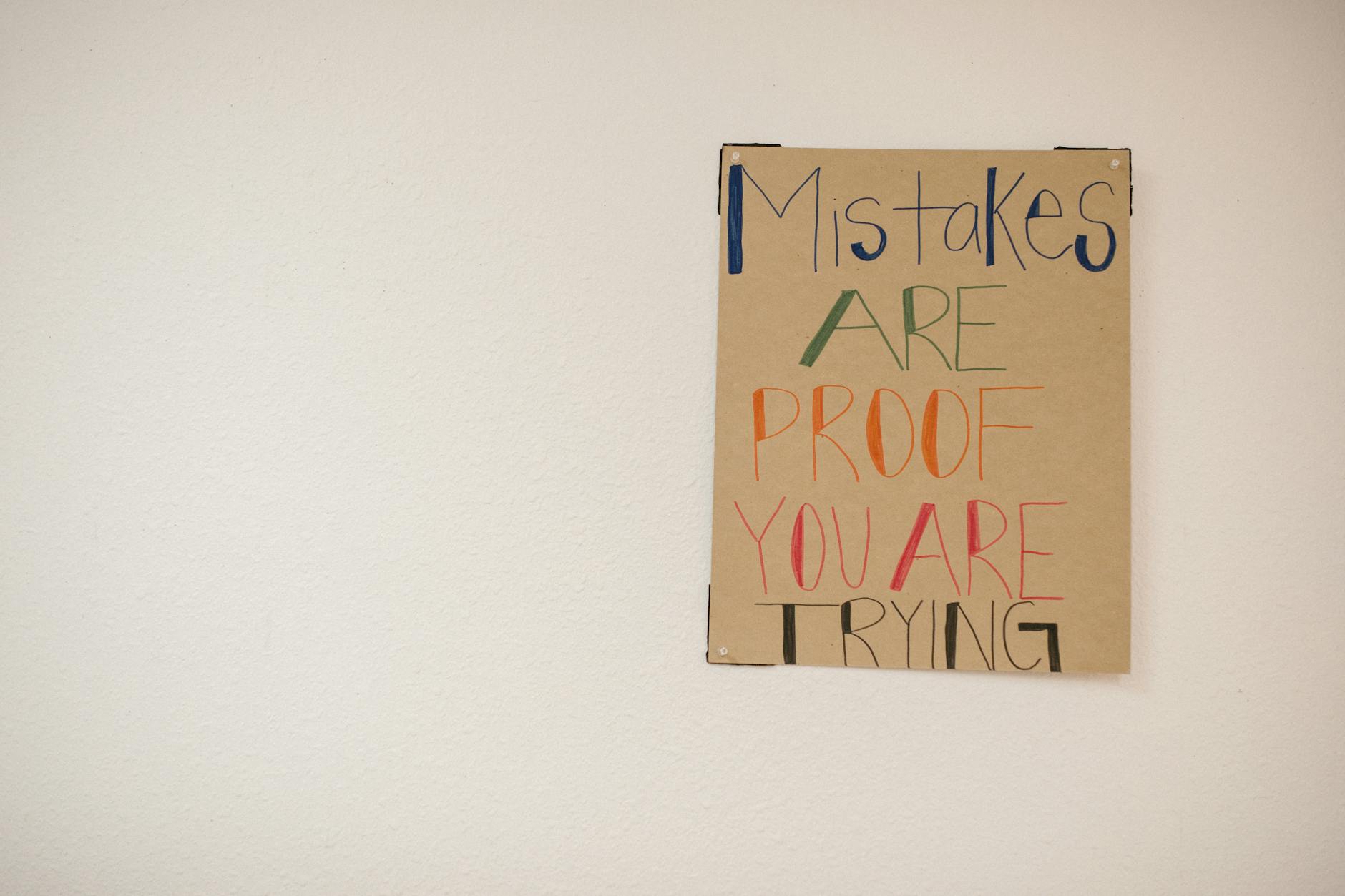
"Mistakes are proof you are trying." A solopreneur must not be afraid to make mistakes. Trello is a great tool to keep you on track while you experiment.
the healthiest thing you can do is youso tailor Trello to fit your individual needs and preferences. Embrace the power of Trello, and watch your solo hustle transform into a thriving, well-managed business. Your superpower awaits – go claim it!